Thursday, 5 December 2013

Little Man Computer

The little man computer uses instructions

InstructionMnemonicMachine Code
LoadLDA5xx
StoreSTA3xx
AddADD1xx
SubtractSUB2xx
InputINP901
OutputOUT902
EndHLT000
Branch if zeroBRZ7xx
Branch if zero or positiveBRP8xx
Branch alwaysBRA6xx
Data storageDAT

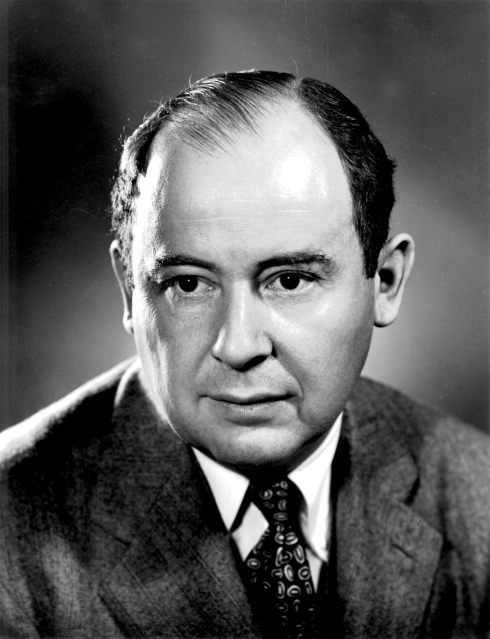
The memory locations on the side of the simulator change numbers. It is one of the first computer programs, it was made in 1965 by Dr Stuart Madnick.  It is very basic program as it can only input and output numbers and some other commands.

Thursday, 28 November 2013

revision

Binary codes can represent characters when converted into ascii
Hexadecimal numbers are used to represent binary numbers because binary numbers get very large and difficult to calculate.

00000011=3=3
binary   denary    hex


Character set- the characters available on the computer


bit, nibble etc

bit= binary digit 1 or 0
nibble= 4 bits
byte= 8 bits
kilobyte= 1024 bytes
megabyte= 1024 kilobyte
gigabyte= 1024 megabyte
terabyte= 1024 gigabytes

Monday, 25 November 2013

Memory

RAM: Main memory of a computer that stores data, applications and the operating system. If the power is turned off, the RAM loses it's data.

ROM: A store of data in the computer which can't be overwritten. It is  not lost when the computer is turned off.

Virtual Memory:  A section of the hard disk used as if it was RAM when there isn't enough main memory.

Flash memory: Low cost secondary storage used by portable devices.

Cache memory: Special high speed memory

Thursday, 21 November 2013

Questions

Instructions are coded by the operator and the operand. The computer can only read binary which will send it to the start address. The CPU decodes these instructions to find out what to do next.


It distinguishes data and instructions by using the operator and operand. The instructions are added to the accumulator and the data is added to a memory location.  

Thursday, 14 November 2013

Representation of Data

Representing text is translated from binary or hex to ASCII. Each set of numbers represent a letter,character  or punctuation.
Ascii Table
this picture is made of just 0/1 because white and black just use 0/1 
Images are made up of pixels on a computer screen. Each pixel is represented by a binary number, for more complex colours longer binary numbers must be used. 


Thursday, 24 October 2013

Input and Outputs and secondary storage.

Inputs and outputs are what makes electrical things work.

Items such as keyboards and touch screens are inputs and letters and the screen moving is the output.

There are many special devices that are inputs which are used for specific needs. Some people may not be able to use electrical appliances because of a disability.

Devices such as eye sensors, foot mouse, voice inputs, puff-suck switches and braille keyboards. These make it easier to use.  

Secondary storage.

Some are very expensive whilst many are cheap. CDs are the cheapest but do not carry as much memory and are slower. They are roughly £4
Flash memory is slightly more expensive but is smaller which makes it easier to carry it around. They get very expensive if they hold more memory. They are roughly around £6 but can go up to £30.
Magnetic hard disks are common and hold lots of memory but are internal.

Monday, 21 October 2013

Questions

1. control movement of data and instructions
    fetch data
    

2.  2.2GHz means 2.2 gigahertz. one gigahertz is 1 billion cycles a second


3. double the amount of cores.


4. cache memory is random access memory


5. speed 

Thursday, 10 October 2013

Binary

 John
Binary is a number system that only uses 0 and 1 to represent all numbers. 0 and 1 can represent on and off.

logic gates determine outputs by processing inputs that are manipulated by the gates processor.

NOT gate

 
Input Output
0          1
1          0

AND gate


Input A  Input B    Output
    0          0                0
    0          1                0
    1          0                0
    1          1                1


OR gate

Input A        Input B       Output
0                  0                  0
0                  1                  1
1                  0                  1
1                  1                  1


Thursday, 26 September 2013

CPU for big people

The CPU has two boxes. ROM- read only memory and RAM-Random access memory. ROM contains instructions on what to do, RAM contains whatever you want the CPU to do. When you input a message to the CPU, the CPU reads it and puts it into the RAM. It then looks in the ROM box to find out how to complete the task. It does the task and outputs it. It then does all this again and again and again...
          This seems like the CPU is slow and stupid but what makes the CPU seem clever is the lightning fast speed it operates so as soon as you put in an input, out comes the output.
It runs with the control unit and the ALU. The control unit controls it, the ALU does the maths.

CPU

Keywords

CPU
Control unit
ALU-arithmetic and logic unit
Fetch-execute
Hertz
Bus
Cache data


The CPU has two boxes. ROM- read only memory and RAM-Random access memory. ROM contains instructions on what to do, RAM contains whatever you want the CPU to do. When you input a message to the CPU, the CPU reads it and puts it into the RAM. It then looks in the ROM box to find out how to complete the task. It does the task and outputs it. It then does all this again and again and again...
          This seems like the CPU is slow and stupid but what makes the CPU seem clever is the lightning fast speed it operates so as soon as you put in an input, out comes the output.

Monday, 23 September 2013

Computer Hardware

When we opened up the computer we saw the CPU, the RAM, the fan.

Thursday, 19 September 2013

Exam style question

De facto standards have helped the development of easy to use computer systems because they are widely accepted as easier and more common things to do with a computer system. The easier system is preferred, meaning the companies agree that system is more popular and accepted by people.

Consideration

Ethical Considerations

These are the privacy and security parts of the computer.

Environmental Considerations  

Computers waste lots of heat and when disposed, cause chemical and radioactive damage. Computers have to have energy saving mode and be collected properly.

Legal Considerations

Computers have to be set up so hackers can't easily use it for hacking purposes. The computer has to be able to keep passwords safe.

Standards

Whenever a new system is made, it has to fill out certain standards.

Propriety Standards 

standards owned by the company

Industry standards

Standards agreed across the industries

De Facto standards

Standards that are developed through common usage

Open standards

Allowed to be edited by the public such as the world wide web.

Thursday, 12 September 2013

The AT&T network collapse

The AT&T network collapse (1990)

In 1990, 75 million phone calls across the US went unanswered after a single switch at one of AT&T's 114 switching centres suffered a minor mechanical problem, which shut down the centre. When the centre came back up soon afterwards, it sent a message to other centres saying something was wrong, which in turn caused them to shut down and reset.
The culprit turned out to be an error in a single line of code, not hackers, as some claimed at the time that had been added during a highly complex software upgrade. American Airlines alone estimated this small error cost it 200,000 reservations.

This is a disaster because in those 75million calls many could be 999 or in America 911 calls. These would have been missed and then the person calling could be in serious trouble.

They should have tested the new software upgrade because they didn't know it would work when it was properly used, some one should have checked the processers in the system.
http://www.zdnet.com/top-10-worst-it-disasters-of-all-time-1339284034/

Embedded Systems

An embedded system is a smaller system doing a dedicated role for a bigger system. Like a computer chip in a computer, it aids the entire computer with processing data. The chip can receive data and process it, and then give out outputs.

What is a computer system?


A system is a collection of things that go together to make something work. A computer system is a fully working computer with all the parts. The parts of the computer make it function. Parts such as the monitor, the motherboard and even the mouse are all part of the computer system. A computer requires an operating system to make the computer system work.

It must be able to take input data, process it and give out outputs.